HRP — Human Resources Portal
End-to-end design of HRP — a modern, responsive HR self-service platform built to replace a decade-old system of email chains and paper forms. Covering 15+ absence types, one-click approvals, automated reporting, org charts, and real-time attendance tracking.
Client
HRP
My Role
Product Designer
Platform
Clear · Responsive
Project Context
A large organisation had been running its HR operations on a legacy platform — HRA — built back in 2010. Over the years it had grown brittle: confusing navigation, no mobile access, and manual workarounds through email chains, paper approval forms, and printed org charts had become the norm.
A modern, centralised self-service platform that employees actually wanted to use.
The goal was a full redesign — taking HRA and rebuilding it as HRP (Human Resources Portal): clear, responsive, and built for every screen size.
Scope covered 12+ redesigned workflows: absence management supporting 15+ request types (vacation, business trips, home office, sick days, maternity & parental leave, training, extra days, compensation days…), attendance tracking, payroll reports, travel compensation, org charts, workstation reservations, team management, shift planning, BSC goal setting, employee surveys, and a centralised phone directory.
Role and Responsibilities
As Product Designer, I owned the full redesign process — from analysing the existing HRA system and understanding where it failed users, through research, information architecture, prototyping, and final handoff to the development team.
System Audit & Research
Audited the existing HRA platform to identify UX failures, then validated findings through user interviews with HR admins, line managers, and employees.
Platform Restructure
Analysed the existing HRA system structure and reorganised navigation and workflows into a unified, goal-oriented platform that made sense to every user role.
Design System
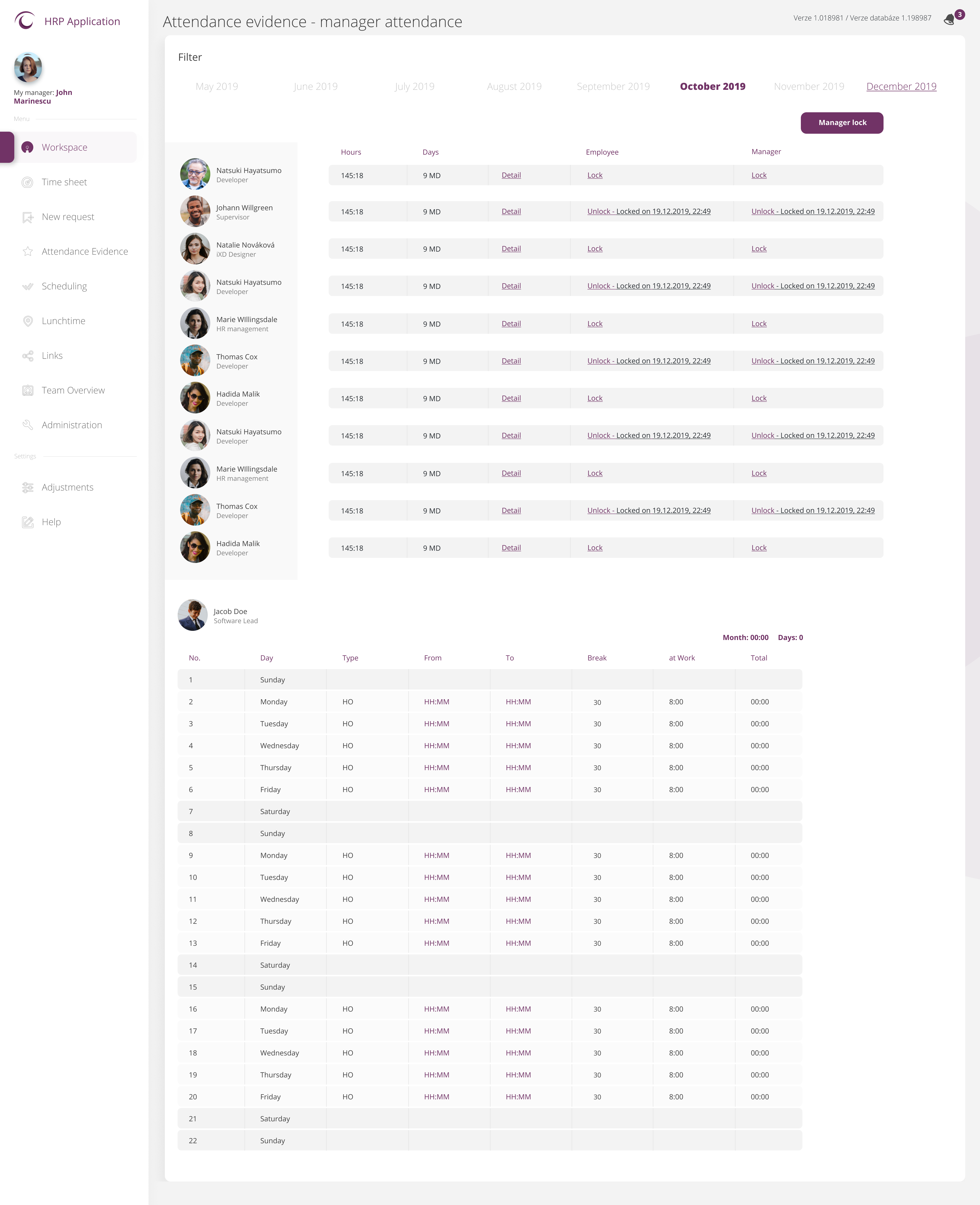
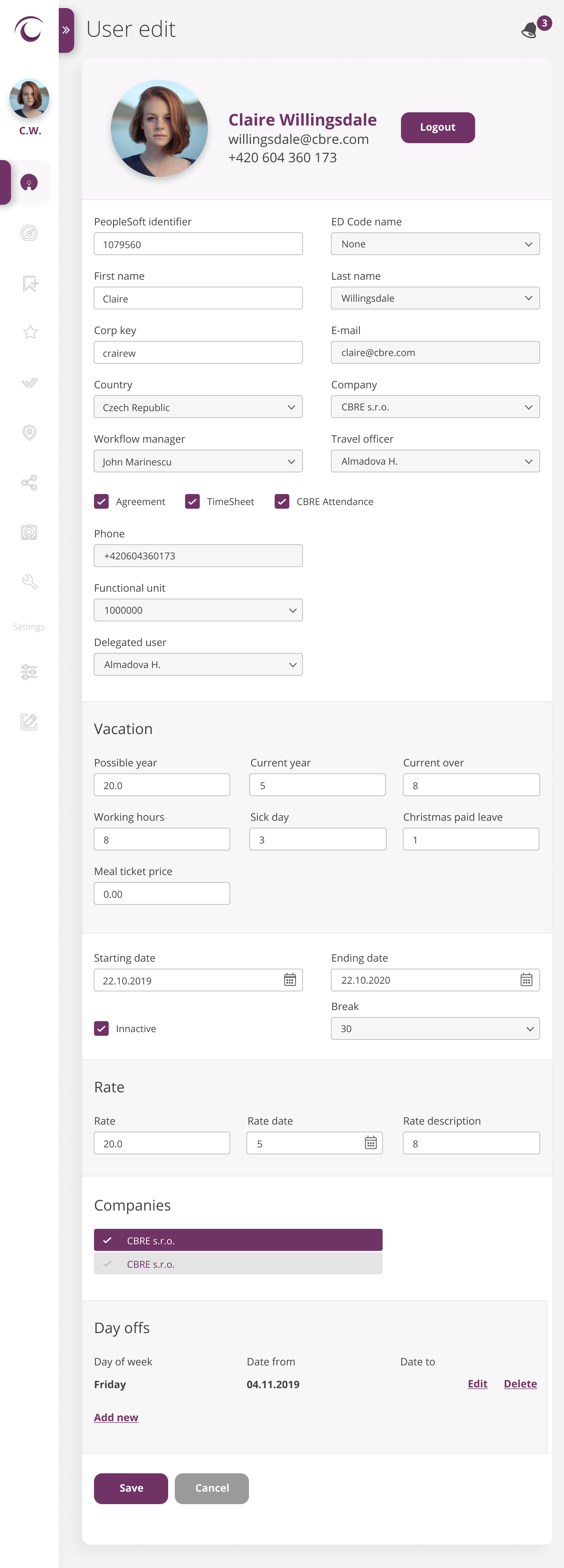
Component library covering 15+ absence type flows, one-click approval queues, attendance tables, payroll views, org charts, and optional colour themes.
Interaction Design
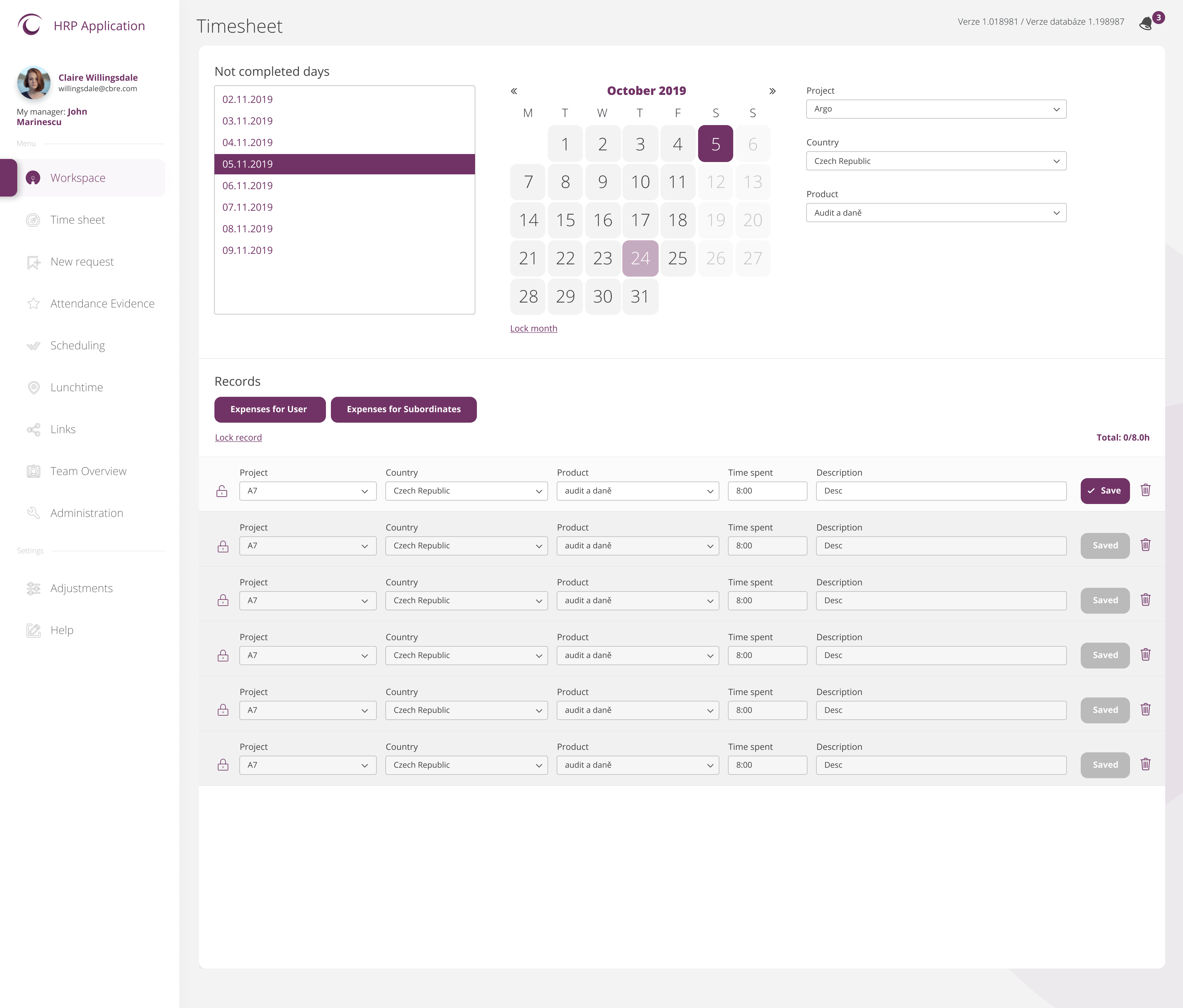
Absence request flows, approval queues, hourly vacation pickers, automated report views, shift planning interfaces, and BSC goal-setting screens.
Responsive / Mobile
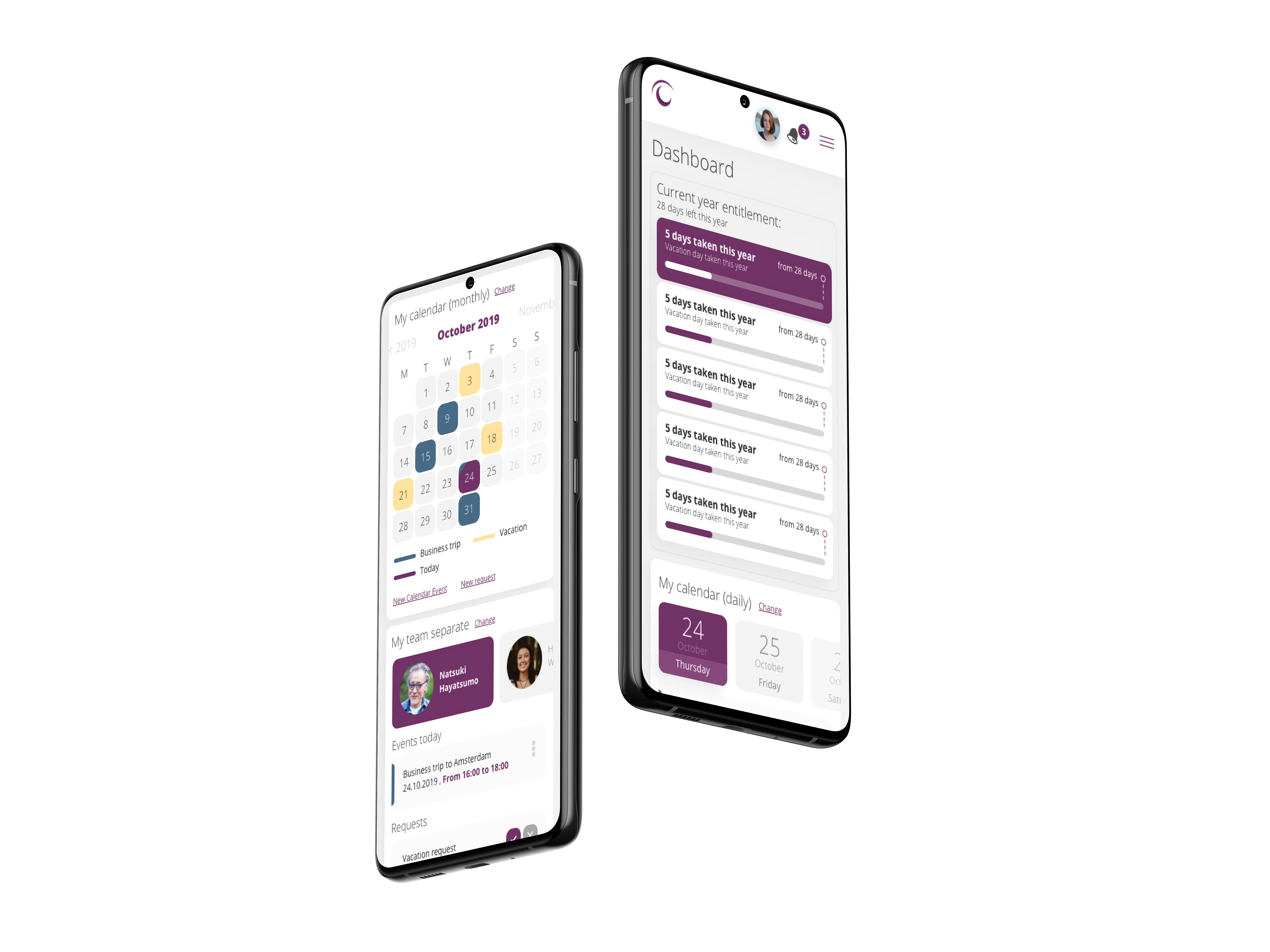
Fully responsive layouts across desktop, tablet, and mobile — eliminating the "I have to be at my desk" problem for employees and managers alike.
High-Fidelity & Responsive Layouts
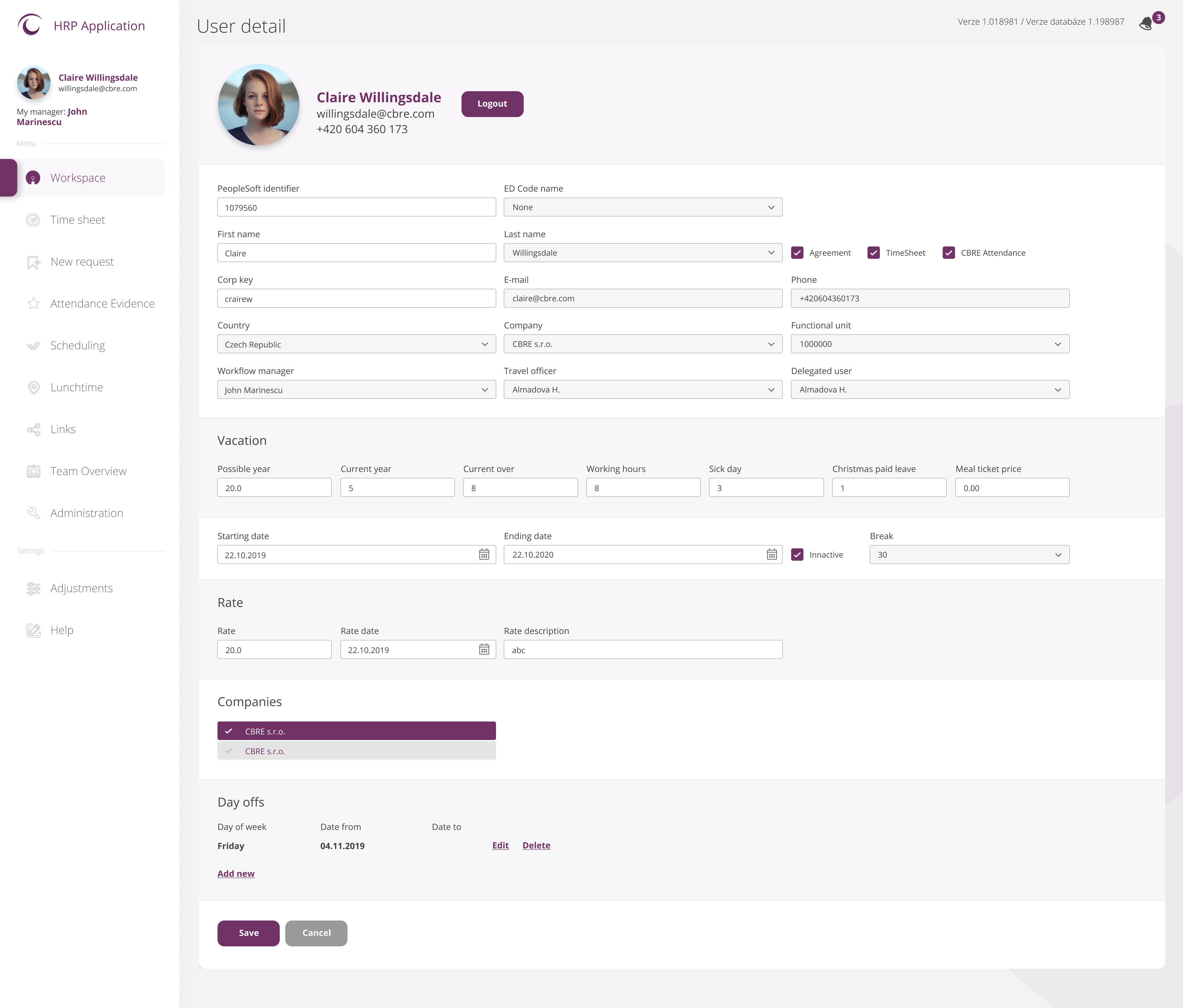
Pixel-perfect high-fidelity screens across all modules at three breakpoints — desktop, tablet, and mobile — with a unified 12-column grid and full interaction states.
Problem Definition
Paper & Email Approvals
Employees counted remaining vacation days on printed payslips. Leave requests were submitted by email or on paper forms — creating delays, lost requests, and no audit trail. Approvals were chased by phone.
Scattered Information
Colleague contacts lived in email signatures. Org charts existed only in outdated printed documents. There was no single source of truth for employee, team, or organisational information.
No Automated Reporting
HR administrators manually compiled attendance, absence, and payroll data every month — a time-consuming process prone to errors with no real-time visibility for managers or leadership.
No Mobile Access — Desk-Bound
The legacy system was desktop-only and inaccessible outside the office. Managers had to return to their desks to approve routine requests. Employees had no access to their HR data on the go.
Research & Personas
Interviews and observation sessions with three distinct user roles revealed dramatically different goals and pain points — each driving specific design decisions in the redesigned HRP platform.
Marta Horáčková
HR Administrator
"Every month I spend days compiling attendance reports by hand. I have no overview, no automation — just spreadsheets and emails."
Core Goals
- Automated monthly attendance & payroll reporting
- Real-time absence overview across the team
- Centralised records — no more manual compilation
Pain Points
- Manual data gathering from email chains
- No system-generated reports — all done by hand
- Paper approval forms with no audit trail
Ondřej Kratochvíl
Line Manager
"I approve vacations by email and I lose track of what I've approved. I can't check my team's schedule from my phone."
Core Goals
- One-click approvals accessible on mobile
- Real-time team leave & schedule overview
- Automatic notifications when requests are pending
Pain Points
- Email-chain approvals with no history
- No mobile access — must be at desk to approve
- No way to see who acts next in the approval flow
Jana Procházková
Employee
"I count my remaining vacation days on my payslip and request time off by email. Half the time I don't even know if it was approved."
Core Goals
- Self-service absence requests (vacation, home office, sick day…)
- Real-time approval status visibility
- Access to payslips and HR data from any device
Pain Points
- Everything goes through HR — no self-service
- No visibility on where my request is in approval
- Desktop-only — can't check anything from my phone
Design Process
Click each phase to expand details & artifacts

Light vs. Dark Mode Solution
Designed for both light and dark environments — every surface colour, contrast ratio, and shadow depth was deliberately calibrated so the interface reads with equal clarity in either mode.
← Drag to compare →
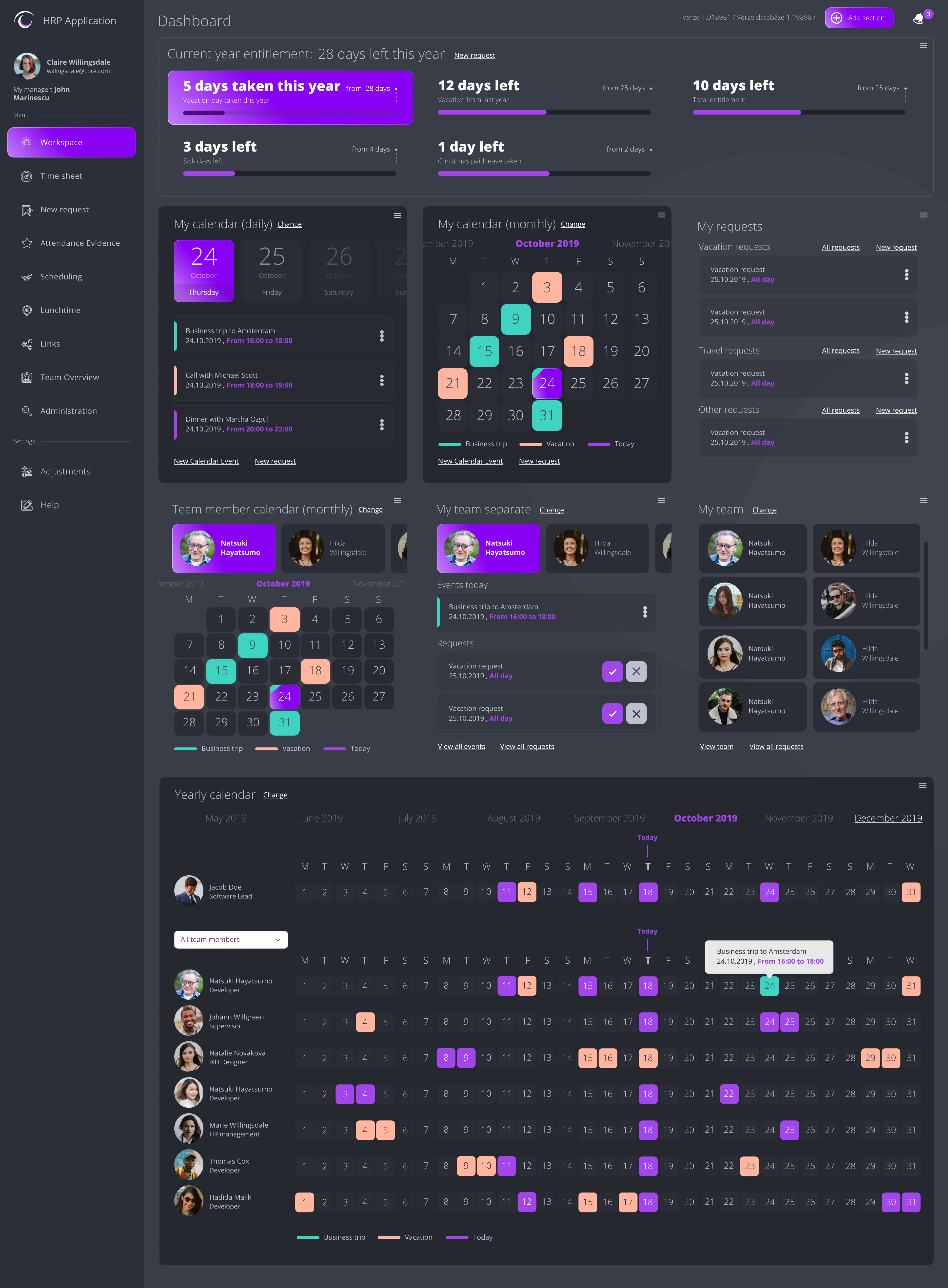
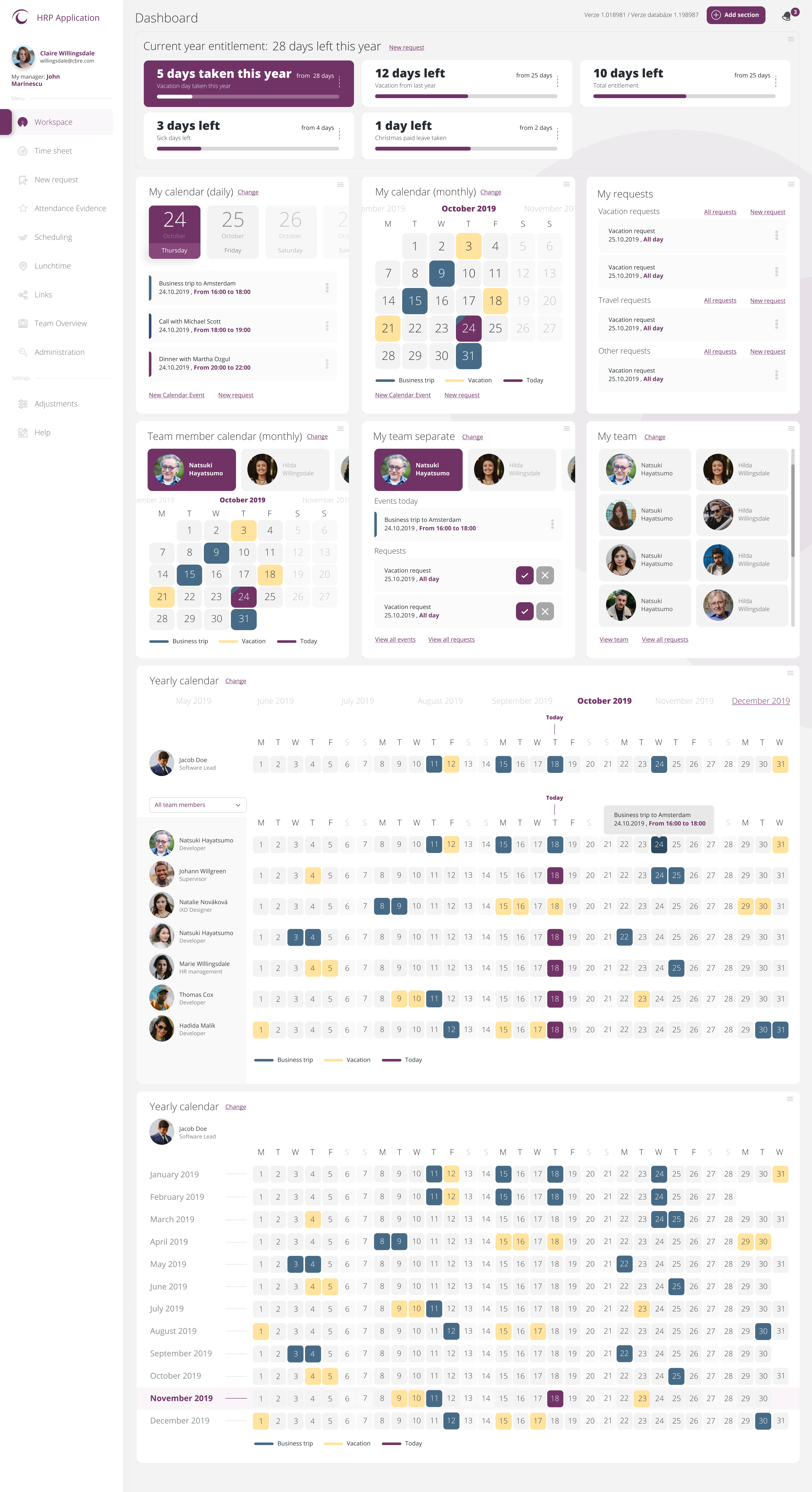
Drag slider to compare legacy system vs. redesigned platform
Key Design Decisions
Role-Based Home
HR Admins, Line Managers, and Employees see contextually relevant dashboards — manager overviews, team approval queues, and personal absence summaries each at first glance.
Hourly Vacation Tracking
HRP introduced precise hourly absence requests — not just full or half days — giving employees and managers fine-grained control over leave balances.
15+ Absence Types
Vacation, Business Trips, Home Office, Sick Day, Sick Leave, Maternity, Parental Leave, Child's Day, Training, Extra Day, Compensation Day, and more — all in a single unified request flow.
One-Click Approvals
Managers approve or reject requests with a single click — with automatic email notifications keeping all parties informed at every stage of the workflow.
Automated Reporting
Payroll reports and monthly attendance summaries generated automatically — eliminating the manual data compilation that previously consumed HR admins' time.
Responsive Design
Fully responsive across desktop, tablet, and mobile — layouts, forms, and approval flows adapted for every screen size so the platform works reliably wherever employees are.
Customisable Colour Themes
Optional colour styles allow the platform to be personalised to organisational branding — making adoption feel natural across different teams and countries.
Light & Dark Mode
The platform ships with both light and dark UI modes — giving users a preference-based experience that reduces eye strain during long sessions and fits different working environments.
Final UI Design
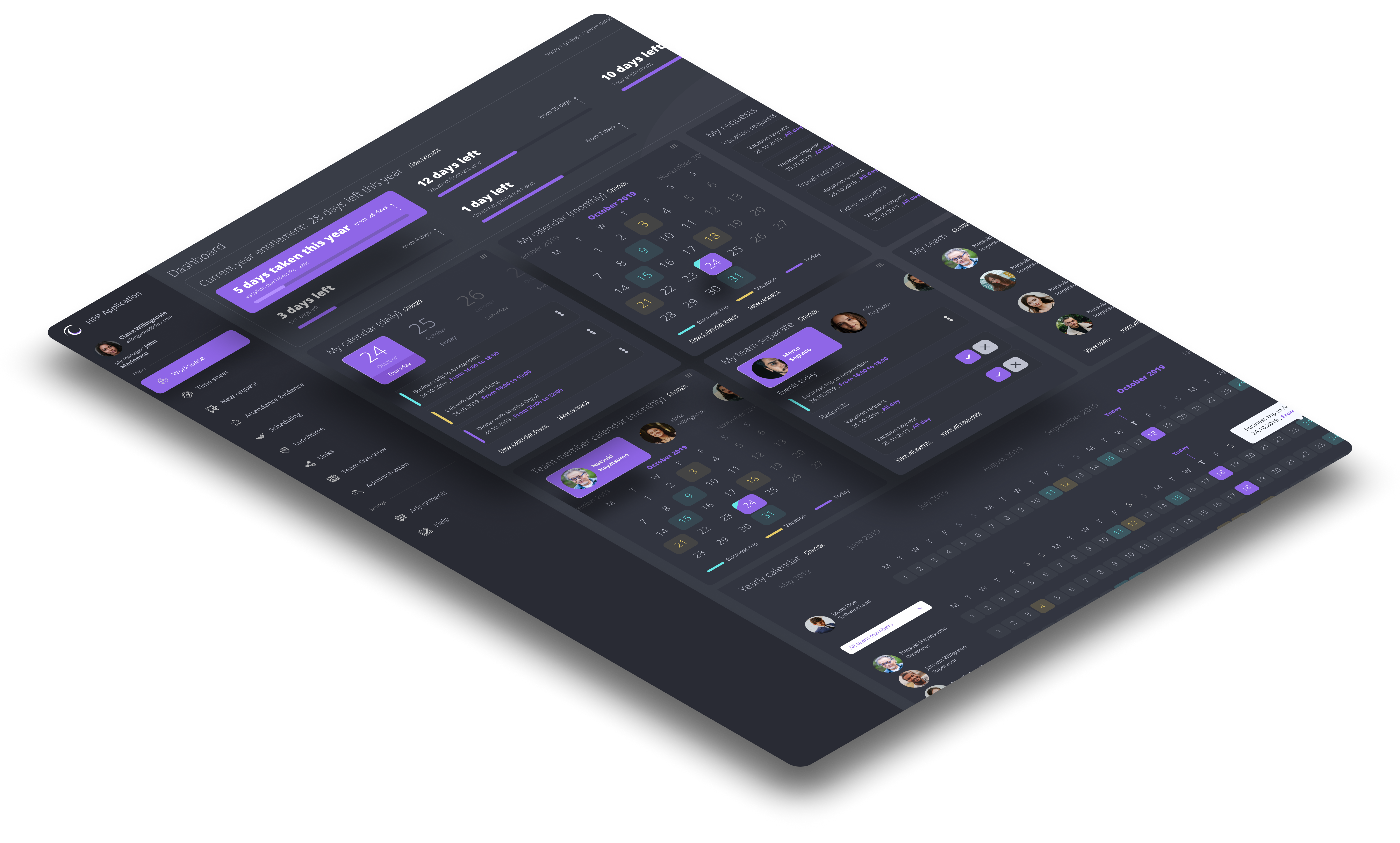
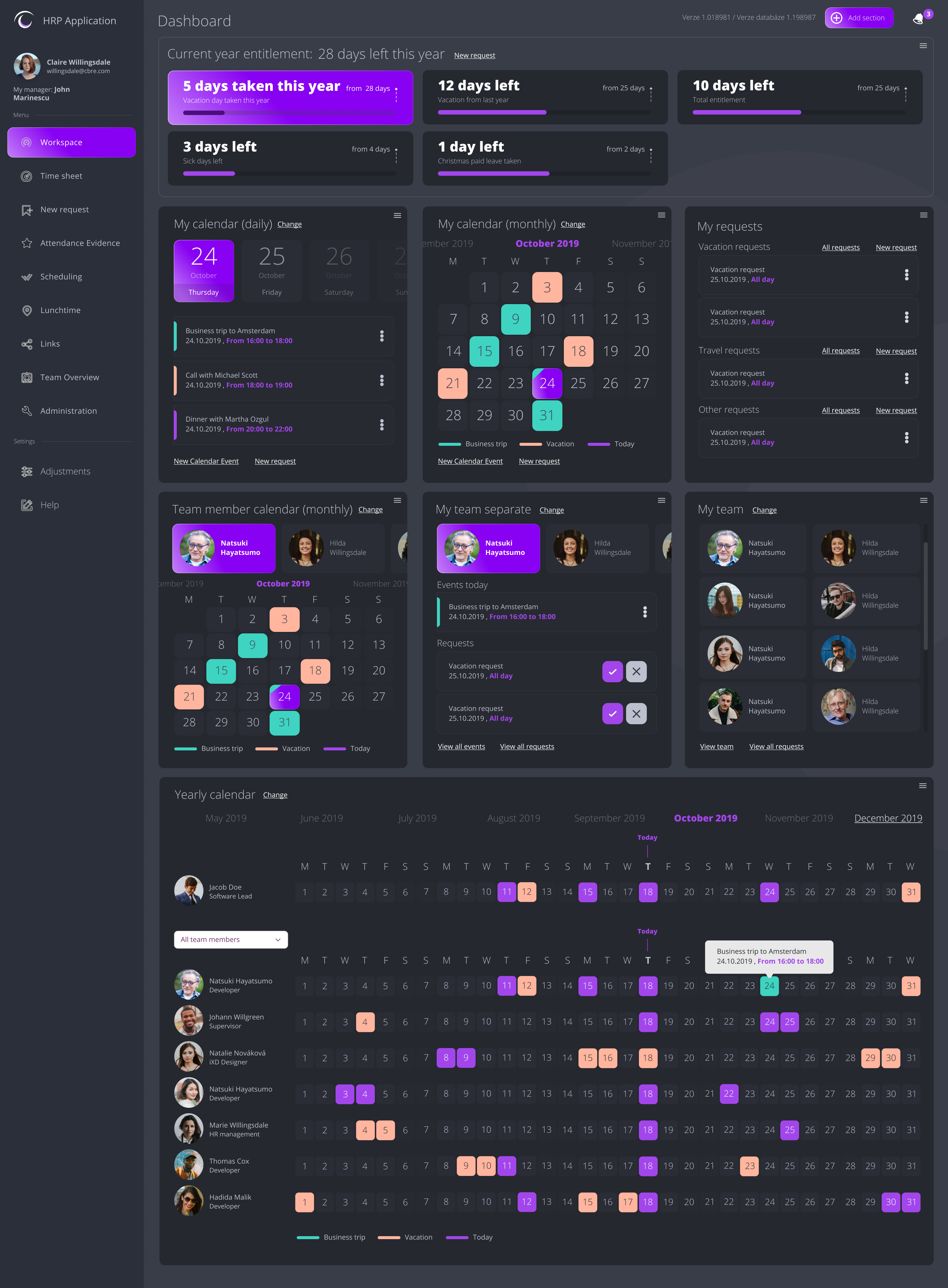
A role-aware, responsive HR platform with customisable colour themes, intuitive absence request flows, manager approval queues, and automated reporting.
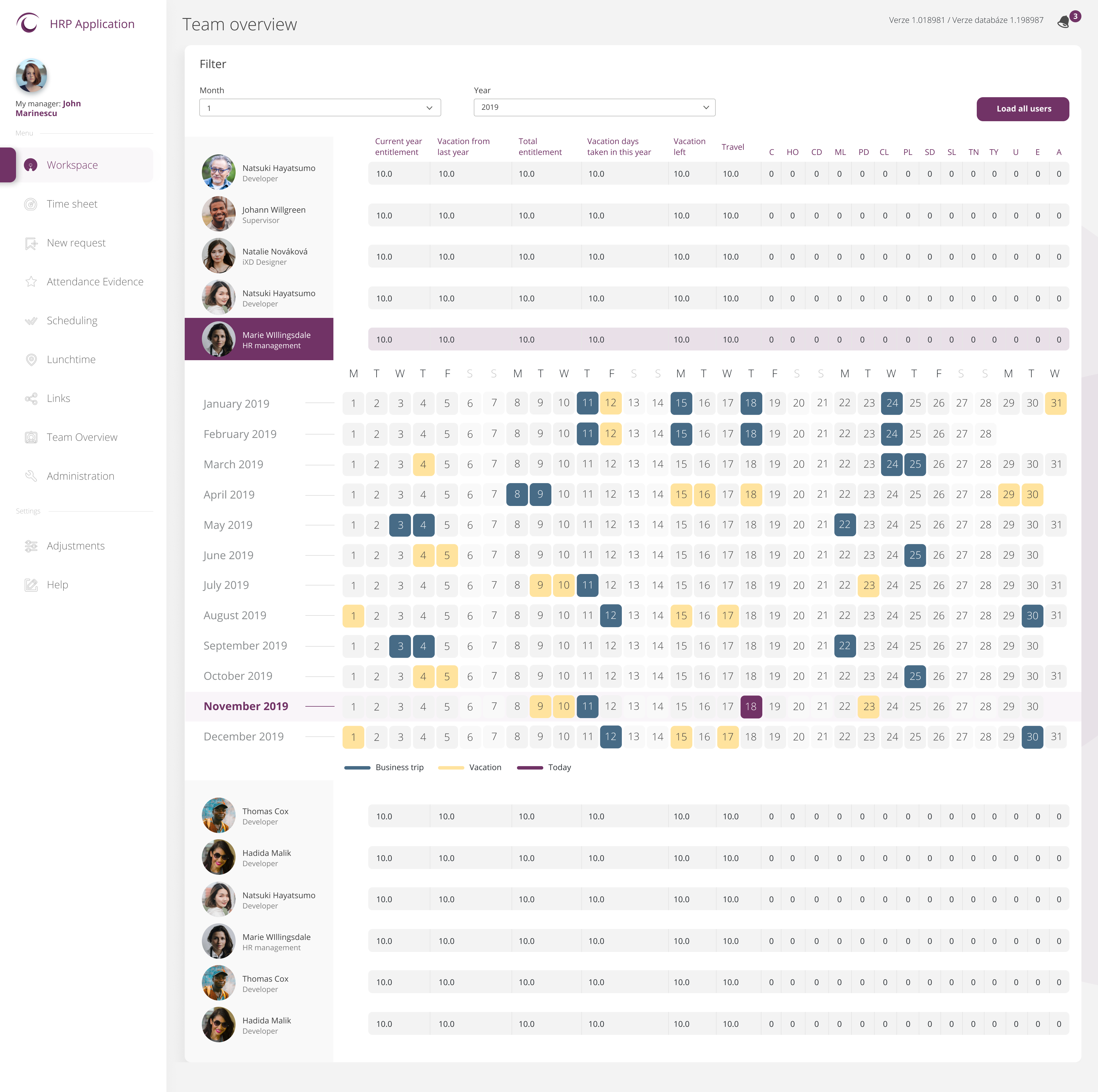
Navigation menu
Role-aware sidebar — adapts per employee / manager / HR admin
Year entitlements
Annual allocation for vacations, sick days, home office & more
Calendar widgets
At-a-glance mini calendars showing upcoming absences
Yearly calendar view
Full-year timeline across the whole team
Team widgets
Quick overview of teammates' status and pending requests
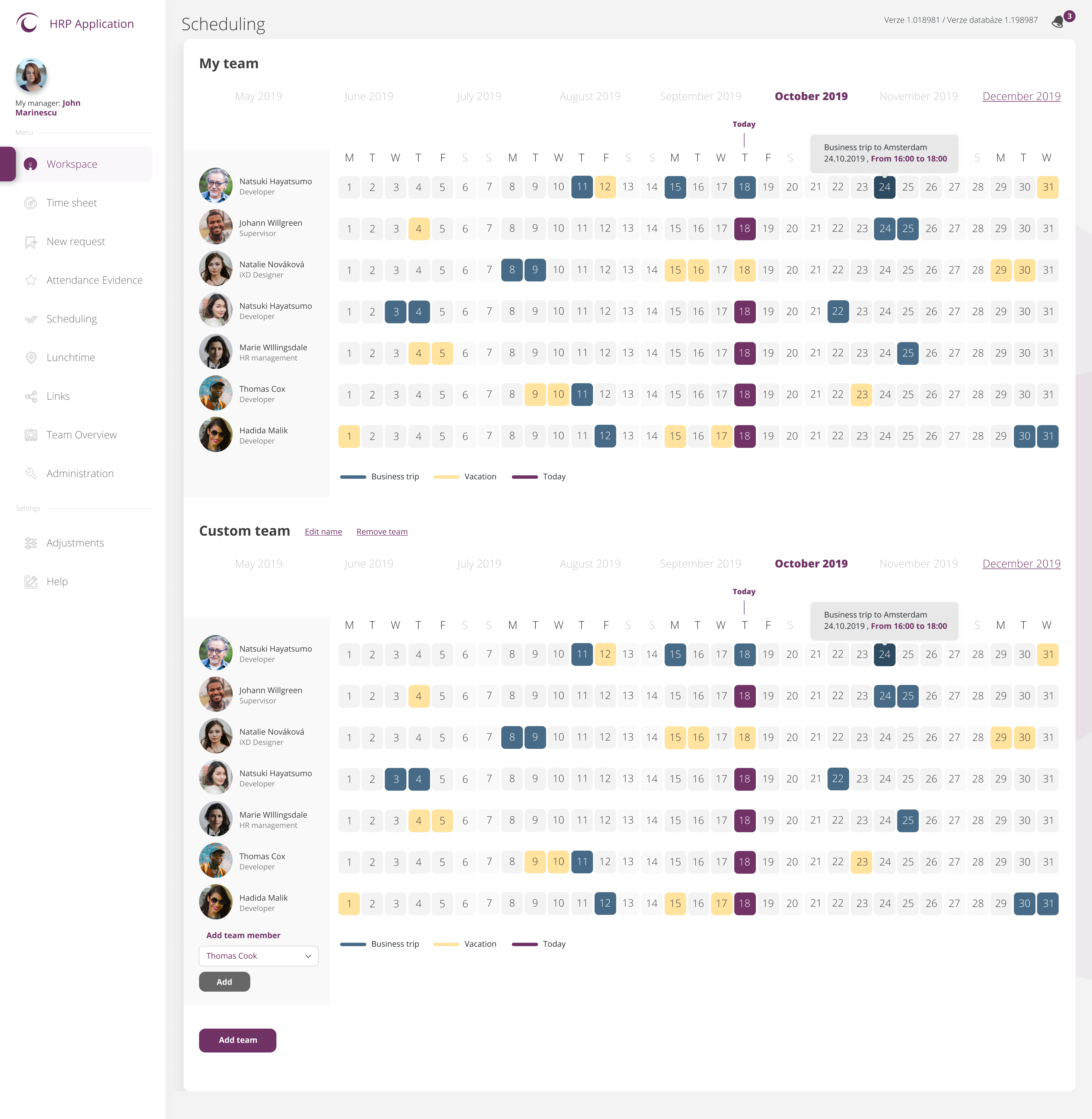
Tablet · 768 px
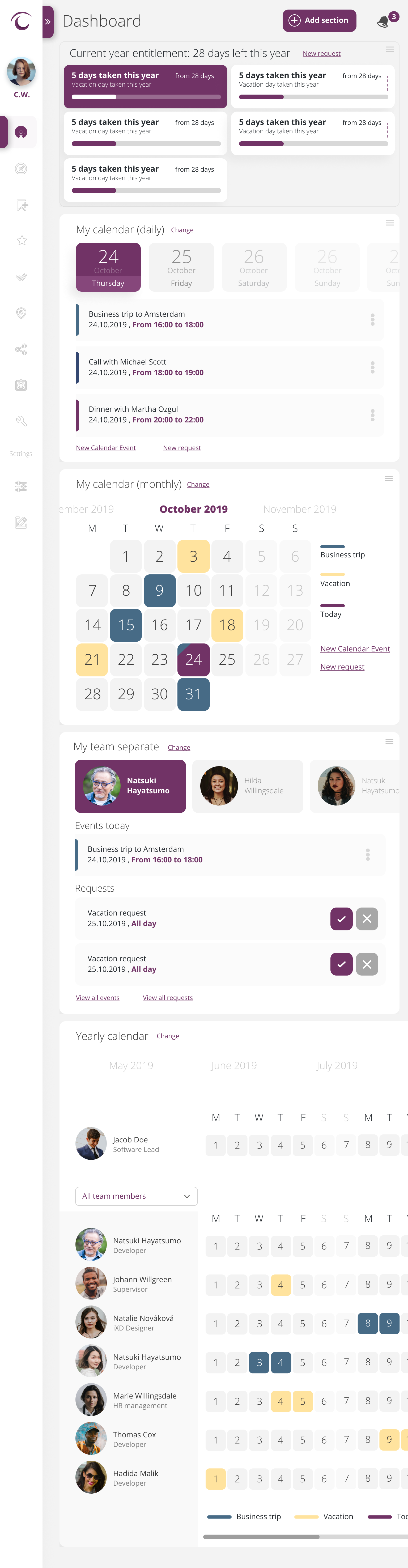
Mobile · 375 px


Outcome / Impact
The HRP design successfully eliminated the organisation's dependence on email chains and paper forms for HR workflows. Employees gained full self-service access to over 15 absence types, payroll data, org charts, and team information — all from a single, unified platform.
Managers moved from approving requests via email (with no history, no visibility) to a one-click mobile approval queue with automatic notifications — a fundamental shift in how HR workflows were processed. Monthly attendance and payroll reporting, previously a multi-day manual effort, became automated and available on demand.
The platform's built-in flexibility — with customisable colour themes and a light/dark mode — made adoption feel natural across different teams and working environments, ensuring the design remained scalable well beyond the initial launch.
15+
Absence Types Supported
3
User Roles Designed
0
Paper Forms Remaining
100+
UI Components Built
Before HRP, our employees were counting vacation days on their payslips and calling HR to ask if their request was approved. Now everything is self-service, accessible from their phone, and the approval trail is always there. It changed how we work as an organisation.
HR Leadership
Central European Enterprise
Let's Build Something Great
Interested in working together on an HR platform or enterprise product? I'd love to hear about your challenge — I typically respond within 24–48 hours.